This is an old revision of the document!
Quick Search Bar
If you think that standard search dialog is too big or complex for your daily needs or you like incremental search, you can use Quick Search bar.
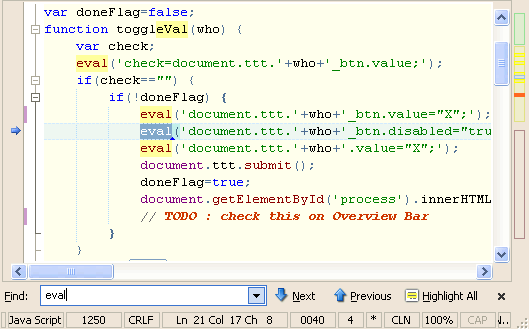 It is Firefox-like search panel, attached to a bottom of your editor window and used for search in the current document. You can do the case and not case sensitive search. Highlight matching results and navigate between matches.
By default incremental mode is used and shows you, in integrated message panel, how much entries are found. While you are typing, Overview bar can show you where search matches are located in the document. You can access it by default shortcut Ctrl + Q.
The Quick Search bar comes as a replacement for Find field from text editor toolbar, which is now removed.